Category Archives: Geekiness

influxdb and grafana

grafana

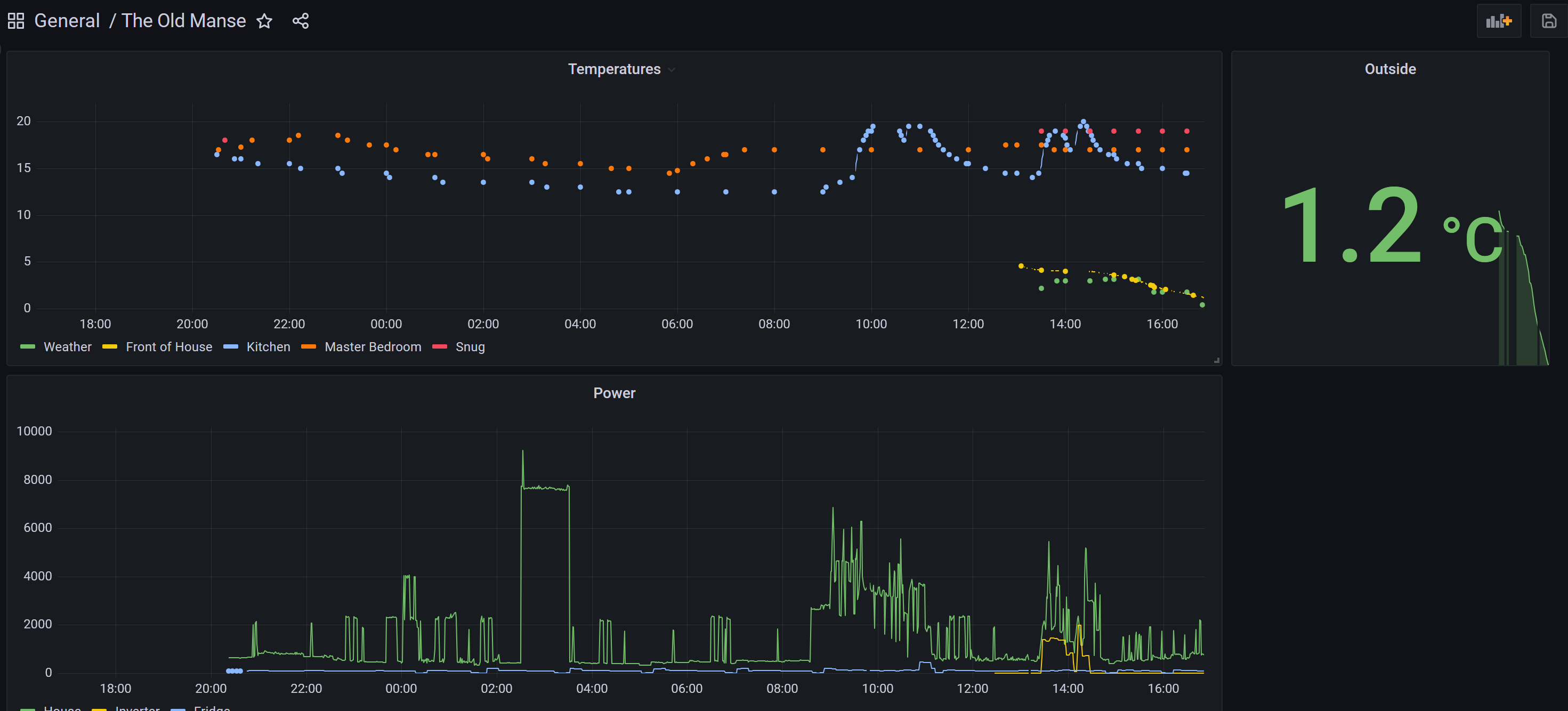
I have long wanted historical data on temperatures. Not sure why, but it might be interesting. Enter the influxdb persistence plugin and grafana (now I need to work out how to back them up too I guess).

Backing up influxdb turns out to be easy and I will add this to the backup script:

influxd backup -portable -database openhabian /mnt/nas/backup/openhabian/influxdb

rpi can just about run inlfuxdb 1.6 and can be installed by apt, and was enough. I just followed the instructions below then set it up in OpenHAB. I then had to work out how to actually store information in teh database. grafana was much easier.

Influxdb notes

  • https://docs.influxdata.com/influxdb/v1.6/introduction/installation/ but I used apt then followed the configuration instructions
  • You need to go in to the CLI and create a database, user and password which are then configured in openhab.
  • Then edit /etc/openhab/persistence/influxdb.persist – not sure about the line “Temperature* : strategy = everyHalfHour, everyChange”
sudo vi /etc/openhab/persistence/influxdb.persist 

influxdb.persist

Strategies {
    everyMinute : "0 * * * * ?"
    everyHour   : "0 0 * * * ?"
    everyHalfHour       : "0 0,30 * * * ?"
    everyDay    : "0 0 0 * * ?"

    default = everyChange
}

Items {
    Tasmota4Fridge_Tas04PowerNow  : strategy = everyMinute
    Tasmota2_Watts  : strategy = everyMinute
    EMONPIMQTTThing_HousePowerwatts : strategy = everyMinute
    KitchenEvohome_Temperature : strategy = everyHalfHour, everyChange
    MasterBedEvohome_Temperature : strategy = everyHalfHour, everyChange
    Tasmota01PowerNowW : strategy = everyMinute, everyChange
    Tasmota3TVStack_Tasmota03PowerNow : strategy = everyMinute
    WeatherandForecast_OutdoorTemperature : strategy = everyHalfHour, everyChange
    emonpiMQTTThing_EmonPiExternelTemp : strategy = everyHalfHour, everyChange
    SnugThermostat_Temperature : strategy = everyHalfHour, everyChange
    Temperature* : strategy = everyHalfHour, everyChange

}

grafana notes

I just did all this then set up influxdb and created some graphs:

https://grafana.com/tutorials/install-grafana-on-raspberry-pi/

There is no obvious backup solution yet, but I will explore this: https://github.com/ysde/grafana-backup-tool

Backing up Openhabian

I am using OpenHab more and more and not having a backup was starting to worry me. There are better solutions, but this works for me. I have a 1TB usb PCIe HDD which the OpenHabian is now running as the house nas, and this solution makes a backup each night and copies the newest file to the NAS with a full backup each Sunday.

It has to be run as root cron:

sudo crontab -e -u root

Then this is the cron for root:

10 2 * * * /home/openhabian/bin/backup-openhabian.sh

And this is the script:

#!/bin/bash

##############################
#  MUST be run by root cron!!
##############################
if [[ $(date +%u) -gt 6 ]]; then
    openhab-cli backup --full
else
    openhab-cli backup
fi

# Copy to the nas
echo Copying the newset file to the NAS folder...
file=$( ls -t /var/lib/openhab/backups/* | head -1 )
cp $file /mnt/nas/backup/openhabian/

# delete files older than 7 days
echo Deleting anything older than 7 days...
find /var/lib/openhab/backups/* -mtime +7 -exec rm {} \;
echo Done!

Restoring

https://community.openhab.org/t/solved-backup/57666 is for OH2, but I guess it will work the same. I really need to practise that with a blank SD card.

sudo systemclt stop openhab
openhab-cli restore /var/lib/openhab/backups
sudo systemclt start openhab

python as systemctl service

Thank you to codementor.io/@ufukafak/how-to-run-a-python-script-in-linux-with-systemd-1nh2x3hi0e

That worked really well. I had to put full path to the settings files in the py script for it to work though. This command works fine.

sudo systemctl xxxxx teslabot.service

This means I can retire one of my Rpi for other projects.

Update: I changed the user in the .service file to openhabian so that it would use the ~/ path successfully forthe config and I would not have to manually change it.

Spotipy – Squeezeserver

We have an old squeezeserver but hardly use it. Nostalgic for the music, I set myself the task of programatically making a Spotify playlist of all the tracks. Slow progress but I do progress:

  1. Find the squeezeserer sqllite database and export it using Firefox plugin SQLite manage;. I exported csv and cleaned it up in Excel. I can export that as a csv once I nail the rest of it.
  2. Install Spotipy. Follow all the instructions about making an account with the developer side of Spotify.
  3. Try to get the Spotipy example for playlists working. FAIL (authentication).
  4. Try to get WSL Debian to launch a brower so you can authenticate. FAIL.
  5. Try to get Powershell to launch the same. Success! but later fail.
  6. Try to set environment variables in Powershell. FAIL
  7. Tear hair out.
  8. Realise you can hard code the variables in…