All posts by Thomas W-P

Notes on RPizeBox Display

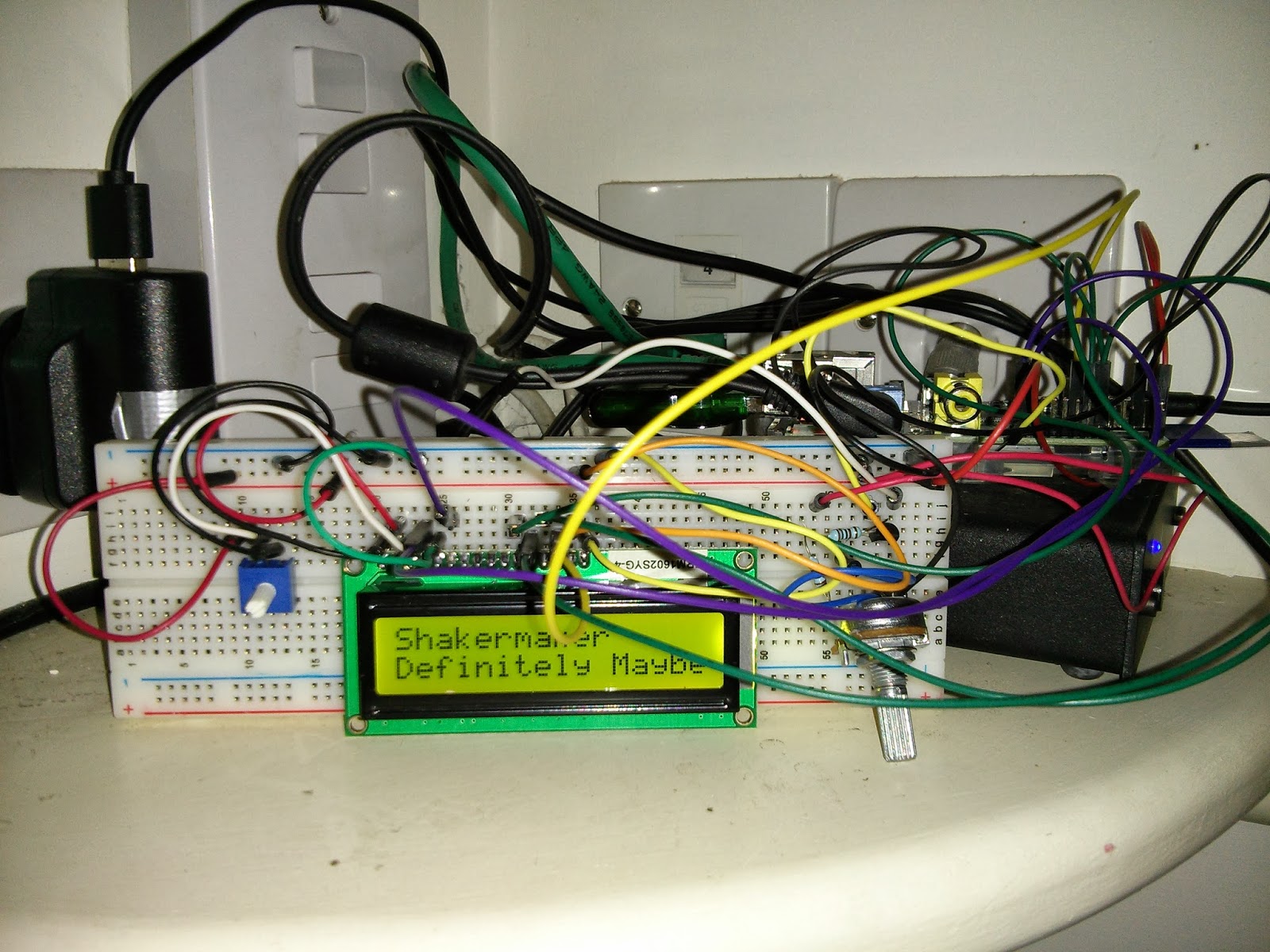
I’ve got a nice scrolling script and had to hack pylms to get it to cope with accents.

This meant uninstalling the pylms module and referencing it instead with

sys.path.append(‘/home/pi/PyLMS/’)
from pylms.server import Server # to talk to LMS server
from pylms.player import Player # to talk to LMS player

That meant I could hack away at the code and it would still work.

I kept trying to find a way to intialise the display on boot.  I had little success.  I even made a start/stop script at /etc/init.d/lms-display in the hope it would get the display restarting on boot, but no dice.  In the end I found that

@reboot root /etc/init.d/lms-display start

in crontab did the job.

Squeezebox Frustration prompts action…

I sold my broken squeezebox on ebay.  It turns out it was just the power supply.  How incredibly frustrating.

So I decided to work on getting my RPi LMS a display.  Notes.

https://github.com/WiringPi/WiringPi2-Python to install wiringPi for my LCD display, but it wouldn’t compile. Neither would https://github.com/WiringPi/WiringPi-Python.

https://github.com/WiringPi/WiringPi-Python/issues/7 fixed this and I compiled WiringPi2.

I had much more success with this
http://pylms-python-logitech-media-server.readthedocs.org/en/latest/index.html
and could read what was playing on the SqueezeLite with no issues at all.

# Proof of concept - needs to be run as sudo
import wiringpi2 as wp

from pylms.server import Server
from pylms.player import Player

# set up the display
wp.wiringPiSetup();
lcd = wp.lcdInit (2, 16, 4, 11,10 , 0,1,2,3,0,0,0,0) ;from pylms.player import Player

# connect to the squeezebox
sc = Server(hostname="192.168.0.5", port=9090)
sc.connect()
sl = sc.get_player("b8:27:eb:eb:37:68")

#clear the lcd
wp.lcdClear(lcd)
wp.lcdPosition(lcd, 0, 0)
wp.lcdPuts(lcd,sl.get_track_title()[:16])
wp.lcdPosition(lcd, 0, 1)
wp.lcdPuts(lcd,sl.get_track_album()[:16])

So that is a start – now to make it update when the track changes and to scroll the titles.  And…. And…

Moving a TWRP backup to a new device

After a failed attempt to recover my old 8B nexus 7 with a new £50 LCD and digitizer, I bought a beaten up 32GB nexus 7 for £55.  I’ve put them together to get a working 32GB nexus 7 which at £110 is about what you can get one for on ebay :/.  But at least I didn’t waste the £50 on the digitizer!

I want to make this my main device so had to restore a backup to it.  I found that the TWRP recovery would not see the backup.  It turns out that in the TWRP folder there is another sub folder and the name of that is unique to the device.  I made a quick backup of the new device to find out what the id should be, renamed the folder and off it went.